
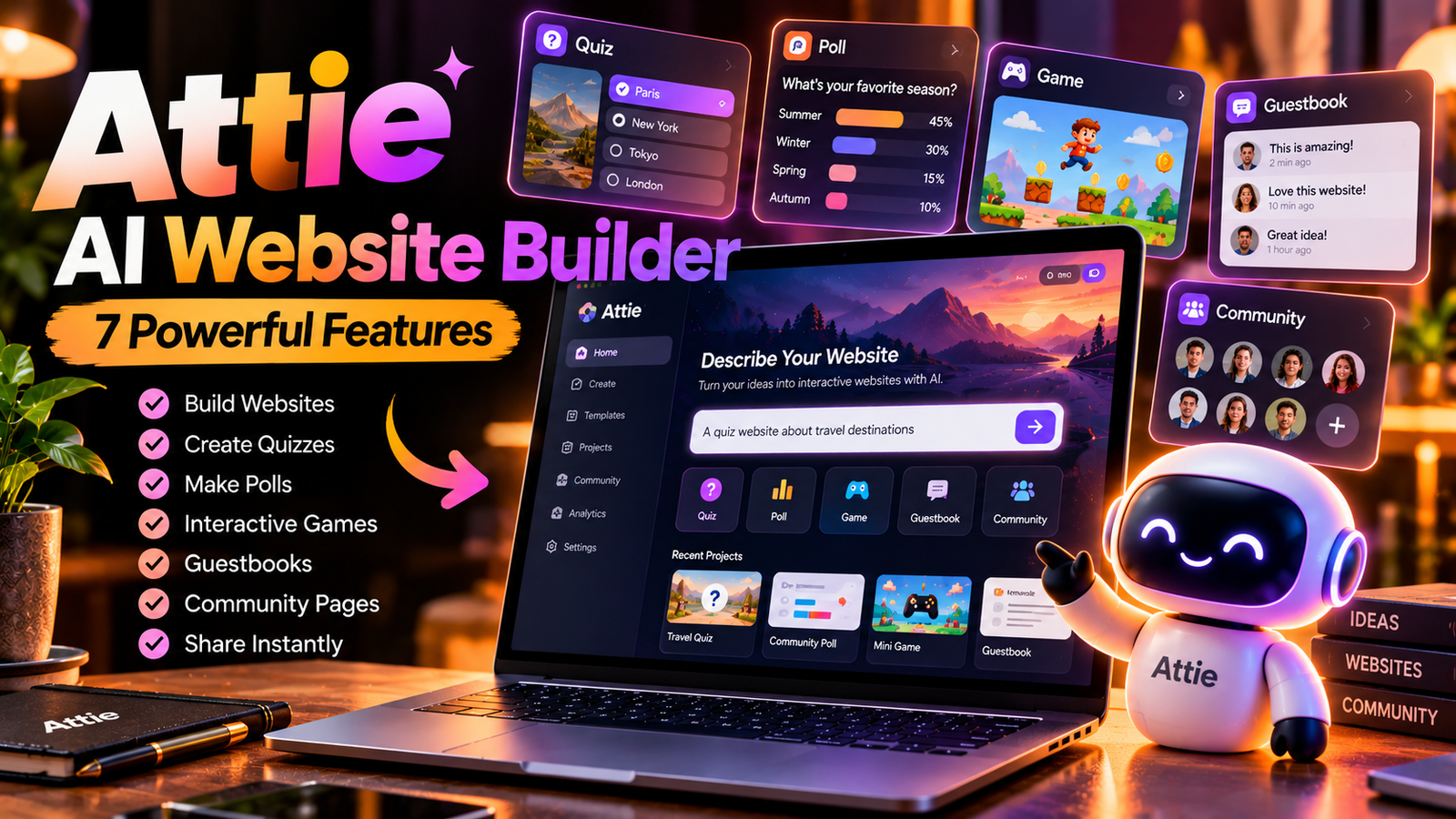
AI technology is changing how people create digital experiences. Instead of learning complex programming languages before starting a project, users can increasingly describe their ideas in ordinary language and let AI help with the initial creation process. Attie AI Website Builder follows this direction by helping users create lightweight, interactive websites and social experiences.
Associated with Bluesky and the AT Protocol ecosystem, Attie focuses on projects such as quizzes, polls, games, guestbooks, and community pages. Its conversational approach allows creators to describe an idea, review the generated result, and request improvements.
The Attie AI Website Builder is especially interesting for beginners, content creators, and online communities that want to experiment with interactive web projects without beginning with a traditional coding workflow. However, it is important to understand its actual capabilities before treating it as a complete business website platform.
This guide explores its seven notable features, practical applications, benefits, limitations, and setup process.
What Is Attie AI Website Builder?
The Attie AI Website Builder is a conversational tool designed to help people turn ideas into small web experiences. Instead of manually writing every line of code, users can explain what they want and use AI-assisted creation to develop an initial version.
For example, a creator might want a trivia quiz, a community voting page, or a simple game that friends can share. The tool is intended to make these kinds of experiments more accessible to people without extensive development experience.
Its connection to Bluesky gives the product a social and community-oriented direction. The emphasis is on creating something that people can use and share, rather than only publishing a static information page.
For official product information, visit the Attie website and review the latest announcements from its developers.
1. Create Web Experiences Using Natural Language
One of the main attractions of Attie AI Website Builder is its conversational approach to web creation. Users can explain their ideas in plain language instead of starting with a blank code editor.
For instance, someone could describe a voting page with a question, several answer choices, and a clear results area. The AI-assisted workflow can help turn that description into a starting point for the project.
The quality of the result depends on how clearly the request is written and which capabilities are currently supported. A useful prompt should explain the purpose, audience, layout, visual style, and main interaction.
This approach makes experimentation easier, although users should still inspect the result for errors and unexpected behavior.
2. Build Interactive Quizzes and Games
Interactive experiences give visitors something to do rather than simply something to read. Attie AI Website Builder is designed to support lightweight creations such as quizzes and games, making it useful for entertainment and community participation.
A creator might develop a general-knowledge quiz, a personality questionnaire, or a small browser-based game for friends. These projects can encourage people to participate and share their results with others.
Before publishing, test the questions, buttons, scoring system, and instructions. A visually attractive page is not enough if its main interaction fails.
Start with a small concept and improve it after receiving feedback from people who try it.
3. Create Polls, Surveys, and Guestbooks
Community pages can help people exchange opinions and participate in discussions. Attie AI Website Builder offers an approach for creating simple experiences such as polls, surveys, guestbooks, and question pages.
A poll might help a group choose an event topic, while a guestbook can collect messages from visitors. A survey may help a creator understand what their audience wants to see next.
These formats work best when the purpose is immediately clear and participation is straightforward. Avoid asking visitors for unnecessary personal information, and check what moderation or privacy controls are available.
A well-designed community experience should make participation easy while respecting users’ privacy.
4. Share Projects Through Web Links
Sharing is an important part of creating an online experience. Attie AI Website Builder has been presented as a way to publish small projects that people can open and explore through individual web links.
This can make it easier to share a quiz in a community, send a game to friends, or introduce a poll through a social post. Visitors may be able to explore a project without installing a separate application, depending on the publishing setup.
Before relying on this feature for an important project, confirm the current publishing requirements, access rules, and available customization options.
For additional context, consult TechCrunch’s coverage of Attie’s website-building expansion.
5. Improve Designs Through Conversational Instructions
The first version of a website rarely matches every detail of the original idea. Attie AI Website Builder uses a conversational approach that can help users describe changes and refine a project.
For example, a creator might request larger headings, simpler navigation, clearer instructions, or a more suitable layout for mobile devices. Making focused changes can help users understand how each instruction affects the final result.
It is sensible to improve one or two elements at a time rather than requesting many unrelated changes together.
After each revision, test the page again. A design improvement can sometimes affect spacing, readability, or other interactive elements.
6. Support Community Creativity
Small web projects can provide practical value to online groups. Attie AI Website Builder could be useful for book clubs, hobby communities, creators, and groups that want to develop activities for their members.
A book club might create a voting page for its next selection. A gaming community could experiment with trivia, while a creator might prepare a question page for followers.
The goal is to turn a shared idea into an experience that encourages participation. However, users should check how each project handles responses, public visibility, and access before sharing it with a large audience.
The strongest community projects usually have a clear purpose and make it easy for visitors to understand what they can contribute.
7. Make Website Experiments More Accessible
Traditional web development can involve design, programming, hosting, testing, and maintenance. Attie AI Website Builder aims to reduce some initial barriers by letting users begin with an idea and refine the result through instructions.
This can be useful for beginners who want to explore web design or creators who need a simple interactive project. It may also provide a starting point for learning about layouts, navigation, and user experience.
Nevertheless, AI-generated output is not automatically correct. Users should test functionality, review the content, check accessibility, and make sure the finished project behaves as expected.
AI can simplify the beginning of a project, but careful testing remains essential.
How to Get Started
Getting started with Attie AI Website Builder begins with choosing a small, clearly defined project. Visit the official website and confirm the current access requirements and available features before proceeding.
Follow these steps:
- Choose your idea: Decide whether you want a quiz, poll, game, guestbook, or another supported experience.
- Write a clear prompt: Describe the audience, purpose, visual style, and required interactions.
- Review the result: Check whether the initial version matches your expectations.
- Request improvements: Give specific instructions about what should change.
- Test the page: Check buttons, links, layout, and mobile readability.
- Review privacy: Understand what information visitors may submit and how it is handled.
- Publish and share: Use the currently available publishing options and gather feedback.
This gradual approach helps beginners learn how the tool works without committing to a complicated project immediately.
Benefits and Limitations
The Attie AI Website Builder approach offers several potential benefits for people creating small interactive experiences.
Key Benefits
- Beginner-friendly workflow: Natural-language instructions reduce the need to begin with manual coding.
- Creative experimentation: Users can explore quizzes, polls, games, and community pages.
- Interactive content: Projects can encourage participation instead of offering only static information.
- Shareable experiences: Web links can make projects easier to distribute.
- Iterative improvements: Conversational instructions can help users refine a first draft.
Important Limitations
- Scope: It should not automatically be considered a complete website or ecommerce platform.
- Accuracy: Generated content and interactions require testing.
- Customization: Advanced design controls and integrations should be confirmed before they are assumed to exist.
- Publishing rules: Access, sharing, and hosting arrangements may depend on the current product.
- Privacy: Creators should understand what data their projects collect and display.
The most suitable use case is one that matches the features actually available, rather than relying on assumptions about what AI website tools can do.
Is Attie Suitable for Business Websites and SEO?
The Attie AI Website Builder may be worth exploring for interactive campaigns, small community projects, or simple experiences designed to engage an audience. However, businesses should evaluate their requirements before selecting a platform.
A business website might need payment processing, product catalogs, contact forms, booking systems, analytics, custom domains, or a content-management system. These capabilities should not be assumed unless the current product documentation confirms them.
SEO also involves more than generating a page. Website owners should consider page titles, useful content, crawlability, accessible design, descriptive links, and ongoing content management.
Google provides a useful introduction in its SEO Starter Guide. Review these principles when evaluating whether a platform supports your long-term search strategy.
If your main goal is publishing regular articles and building organic traffic, compare the platform’s confirmed publishing and SEO controls with your requirements before making a decision.
Privacy and Responsible Use
When using Attie AI Website Builder, creators should pay attention to the information they publish and the data they request from visitors.
Avoid collecting sensitive personal details unless there is a legitimate need and appropriate protection. Review available privacy settings, sharing controls, and moderation options before publishing an interactive page.
Creators should also check whether a project makes user responses public and explain its purpose clearly. If a page is designed for children or a sensitive community, consider the additional privacy and safety requirements that may apply.
Responsible publishing improves trust and makes online participation more comfortable for visitors.
Final Verdict
The Attie AI Website Builder offers an interesting approach to creating small interactive web experiences through natural-language instructions. Its focus on quizzes, polls, games, guestbooks, and community pages makes it relevant to creators who want to experiment with social web projects.
Its biggest appeal is accessibility: users can begin with an idea, refine the result, and share the finished experience. However, it should not automatically be treated as a replacement for a complete business website platform or a traditional content-management system.
Start with a simple project, test its functionality, review the available publishing options, and make sure the tool meets your needs before depending on it for a larger project.
Read more: Market report: BT rallies to five-week high on bullish broker note
Frequently Asked Questions
What is Attie AI Website Builder?
It is a conversational website-creation tool associated with Bluesky that focuses on lightweight interactive experiences such as quizzes, polls, games, and community pages.
Can beginners use Attie?
Yes, its natural-language approach is intended to make creating small web experiences more accessible. Beginners should still test and review their results before publishing.
Can I create a game with Attie?
The product announcement highlights games and other interactive experiences. Check the official website for the current range of supported features.
Is Attie a complete business website builder?
Its announced focus is on lightweight interactive and social experiences. Confirm support for ecommerce, custom domains, analytics, and other business requirements before choosing it for commercial use.
Is Attie useful for SEO?
It may be useful for creating interactive pages, but SEO suitability depends on the publishing controls, page structure, and technical capabilities available. Review these details before building an SEO-focused website around it.
Where can I find official information?
Visit the official Attie website and consult the linked announcement coverage for information about the product’s direction and features.
